Building an FPV drone can be an exciting journey, Best Websites fo FPV Drone Builder whether you are a beginner assembling your first quadcopter or an experienced pilot looking to optimize a high-performance freestyle or racing build. But choosing compatible motors, calculating battery performance, designing a frame, and comparing components can quickly become overwhelming. The good news? Several online tools can help you plan smarter, reduce trial and error, and make more informed decisions before spending money on hardware.
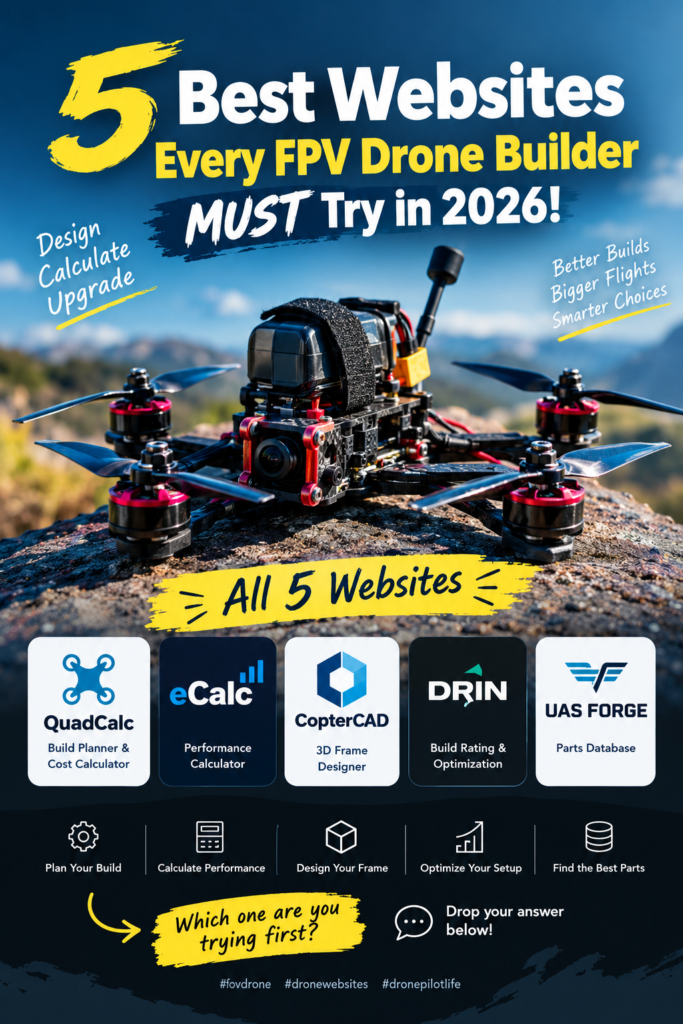
This guide explores five useful websites for FPV drone builders in 2026: QuadCalc, eCalc, CopterCAD, Drin Rate Build, and UAS Forge. Each serves a different purpose, from estimating build costs to exploring frame designs and comparing drone components. Together, they can become a valuable part of your drone-building workflow.
Why FPV Drone Builders Need Online Design Tools
Building an FPV drone is more than bolting four motors onto a frame and connecting a flight controller. Every component influences the aircraft’s weight, power consumption, handling, reliability, and flight time. A motor that performs brilliantly with one propeller and battery combination might draw excessive current with another, while a frame that looks perfect online might not provide enough clearance for your selected electronics. That is why experienced builders benefit from planning their hardware before ordering parts. Instead of relying entirely on guesswork, you can use online tools to compare specifications, estimate performance, and catch potential problems while your build still exists on a computer screen.
Save money and avoid incompatible components
Imagine spending your budget on a new frame, motors, electronic speed controller (ESC), battery, and video transmitter, only to discover that the mounting holes do not match or the battery cannot comfortably fit inside the frame. These mistakes can quickly become expensive, especially when international shipping and import charges are involved. An FPV drone build planner helps you organize components and identify compatibility issues before you purchase them. For example, QuadCalc describes compatibility checks for mounting patterns, battery voltage, radio protocols, and video systems, alongside estimated build cost and weight. QuadCalc can therefore be a useful starting point for pilots who want to turn a collection of product links into a more organized build plan.
Improve performance before your first flight
A successful build is not simply one that powers on; it should also behave appropriately for its intended mission. A lightweight racing quad prioritizes responsiveness and acceleration, while a long-range aircraft may need efficient cruising, dependable navigation, and enough battery reserve to return safely. Performance calculators let you explore how different motor, propeller, and battery choices affect estimated thrust, current draw, and endurance. These estimates are not substitutes for bench testing, but they give you a more informed starting point. Think of them as a flight plan for your engineering decisions: they help you recognize promising combinations before you invest time and money in the physical aircraft.
1. QuadCalc — The Best Overall FPV Build Planner

Website: quadcalc.asafshamir.com
If you are looking for one website to start planning an FPV drone, QuadCalc is a strong first choice. It is a browser-based build planner that allows you to select components, assemble a parts list, and review important details about your proposed aircraft. Its published feature set includes more than 1,100 FPV components, compatibility checks, build-cost estimates, weight calculations, thrust-to-weight estimates, and estimated flight time. It also provides guided building for newcomers, along with the option to start from scratch or explore example builds. These features make it useful for people who are still learning the difference between a flight controller, ESC, video transmitter, receiver, and other essential components.
Key features and practical uses
QuadCalc helps bring the different pieces of a drone build into one workspace rather than forcing you to keep multiple shopping tabs open. You can select a frame, motors, propellers, battery, flight controller, video system, and other parts, then examine the resulting build information. Compatibility checks can flag issues such as mismatched mounting patterns, battery voltage, radio protocols, or video-system choices. You can also explore starter configurations for different drone styles, including five-inch freestyle quads, smaller cinewhoops, and long-range builds. The website describes options for saving, sharing, and exporting builds, making it easier to revisit a design or share your proposed configuration with another builder.
One especially useful feature is the ability to organize your estimated cost and weight before ordering anything. Suppose you want to build a five-inch freestyle drone with a digital video system but have a fixed budget. You can compare candidate components and see how changing your selection affects the overall plan. This does not guarantee that every displayed price is current or that every combination will work perfectly in the real world, so verify product specifications with the seller and manufacturer. Nevertheless, the ability to spot potential problems in one place can save considerable planning time.
Who should use QuadCalc?
QuadCalc is particularly useful for beginners, hobbyists assembling their first custom quad, and experienced pilots experimenting with alternative components. Beginners can use its guided approach to understand the parts of a drone, while experienced builders can use its planner to organize a more specific shopping list. It is also useful for educators and robotics enthusiasts who want to compare possible configurations before committing to a classroom or workshop project. If you are unsure where to begin, start with QuadCalc, choose your intended drone type, and build a preliminary parts list. Treat its compatibility results as planning guidance, not as a replacement for checking connector pinouts, physical dimensions, electrical limits, and manufacturer documentation.
2. eCalc — Calculate Drone Performance

Website: ecalc.ch
A drone can have premium components and still deliver disappointing flight performance if the propulsion system is poorly matched. That is where eCalc becomes valuable. Its multicopter calculator, known as xcopterCalc, lets you enter details such as aircraft weight, rotor count, battery configuration, motor characteristics, propeller dimensions, and controller specifications. The calculator estimates several performance indicators, including hover flight time, power consumption, current, thrust-related values, efficiency, and motor temperature. eCalc maintains databases of motors and other components, and its published release notes show ongoing updates to its calculators and data.
Motor, propeller, battery, and thrust calculations
The most useful way to approach eCalc is to begin with a realistic description of your intended aircraft. Enter the estimated all-up weight, including the battery and any payload, then select the battery cell count, capacity, motor, and propeller combination. Review the predicted hover throttle, current demand, power consumption, and temperature rather than concentrating on a single performance number. For example, a higher thrust-to-weight ratio can indicate greater potential agility, but it does not automatically mean the aircraft will be efficient or remain cool under demanding flight conditions. Your choice should reflect the intended mission, whether that is freestyle flying, racing, aerial photography, or longer-duration exploration.
You can also use the calculator to compare alternative setups. If a particular motor and propeller combination draws too much current in your simulation, investigate a different propeller, motor, or battery configuration and recalculate. This makes eCalc useful for exploring trade-offs before buying replacement parts. Keep in mind that results depend on the quality of the component data and the assumptions entered into the calculator. Real-world temperature, propeller condition, battery voltage sag, airflow, payload, and aggressive throttle use can all affect the final outcome.
Understanding simulation limitations
Never treat a simulated flight time as a guaranteed flight time. eCalc explicitly warns that its calculations may deviate from real-world performance and that manufacturer limits must be checked independently. Its results are most useful when the inputs are accurate and the proposed configuration is subsequently validated through controlled measurements. Before flying, confirm that the motors, ESCs, battery, wiring, and connectors can handle the expected electrical load. If your goal is a reliable long-range quad, also plan a conservative battery reserve and test the actual aircraft under safe conditions before relying on any range estimate.
3. CopterCAD — Design Your Drone Frame

Website: coptercad.com
Sometimes the biggest challenge is not choosing the electronics; it is designing the aircraft around them. CopterCAD is associated with browser-based conceptual CAD for multicopter and VTOL configurations. Historical documentation describes parametric design controls, starter aircraft models, and exports such as STL and OBJ for geometry, alongside JSON output for rotor configuration. However, that documentation dates back several years, so check the current website to confirm which features remain available and supported before starting a project.
Explore 3D drone configurations
A three-dimensional design environment can help you visualize the layout of motors, arms, and the central body before manufacturing a frame. Rather than imagining the aircraft from a flat sketch, you can examine its geometry and experiment with alternative arrangements. This is particularly useful for robotics students, makers, and engineers who want to understand how a design’s proportions affect packaging and construction. For example, you might explore whether a larger central body could accommodate a battery and flight controller while preserving enough room for the wiring. A digital model can also help you communicate your concept to collaborators who may not be familiar with traditional engineering drawings.
From digital design to physical prototyping
If the available export functions work for your intended design, a 3D model can become the starting point for a prototype. STL files are commonly used for 3D printing, while OBJ files are often useful for visualization and geometry exchange. But a conceptual model should not automatically be treated as a flight-ready structural design. Printed materials have different strength, stiffness, fatigue, and heat-resistance characteristics from carbon-fiber drone frames, and a model that looks good on screen may not survive repeated impacts or motor vibration. Check the website’s current capabilities, design tolerances, fastener clearances, and export quality, then assess the prototype’s mechanical suitability before installing powered components.
For a practical workflow, use CAD to understand the physical layout, then verify the final dimensions against the actual hardware datasheets. Pay particular attention to motor mounting holes, propeller clearance, battery placement, center of gravity, and access to electronic components. For a serious flying aircraft, consider whether the frame material and arm geometry can withstand the loads expected during operation. CopterCAD can be an interesting design resource, but the suitability of any resulting model depends on both the tool’s current capabilities and your engineering validation.
4. Drin Rate Build — Evaluate and Optimize Your Build

Website: drin.com.ua/rate-build
The fourth website on this list is Drin Rate Build, which you can explore as a potential resource for evaluating and optimizing a drone configuration. It is worth approaching this tool with a specific goal: understanding whether your selected components and overall setup suit the type of flying you intend to do. A useful build evaluation should consider more than the purchase price or the advertised motor performance. The frame must accommodate the electronics, the propulsion system must operate within its limits, and the complete aircraft must deliver the balance of weight, responsiveness, and endurance that you need. Before relying on any particular score or recommendation from Drin, check its current interface and documentation to confirm the features available in 2026.
Build ratings and component trade-offs
A build rating is most useful when you understand what the rating actually measures. A configuration designed for racing might prioritize acceleration, low weight, and responsive handling, while a long-range aircraft may place greater emphasis on efficiency, battery capacity, and dependable navigation. A single score cannot capture every factor that matters to every pilot. If a tool rates one build more highly than another, examine the underlying criteria and determine whether they match your own priorities. For instance, a heavier digital-video setup might be preferable for your needs even if a lighter analog configuration looks better on a basic weight-based comparison.
You can use a build evaluation tool as a prompt to investigate possible improvements. Consider whether a different battery changes the weight balance, whether your chosen frame provides enough room for the electronics, or whether your motor and propeller combination suits the intended flying style. Rather than automatically accepting a recommended component, compare its specifications with the parts you already own. This process helps you learn why one configuration might be better suited to a particular application than another.
What to verify before trusting a rating
Do not assume that a high score guarantees a safe, reliable, or competition-ready drone. Confirm the tool’s calculation method, component database, assumptions, and any compatibility checks it performs. If its recommendations are not accompanied by clear explanations, use them as suggestions for further research rather than definitive engineering advice. Compare your proposed setup with manufacturer datasheets, trusted community build guides, and independent performance measurements where available. The goal is not simply to obtain the highest rating; it is to develop a drone that meets your requirements without exceeding its electrical, thermal, or mechanical limits.
5. UAS Forge — Explore Drone Components

Website: uas-forge.com
The fifth website, UAS Forge, is worth exploring if you want a structured way to research components and organize a proposed drone build. Its published Forge interface describes a drone build planner where users can create a component list, review recorded compatibility information, and maintain a costed parts list. The platform also presents component-catalog and platform-research functions. Its available interface and data coverage may change, so check the current catalog before depending on it for a particular component or specification.
Research parts and organize your build
Choosing drone parts often involves comparing several products that appear similar but have important differences. Two motors might have the same approximate size while using different KV ratings, winding designs, or current limits. Two flight controllers might share a processor family but differ in their sensor selection, mounting dimensions, connector arrangement, and available ports. A structured parts catalog can make it easier to collect this information and narrow your choices before you begin assembly. Rather than switching repeatedly between product listings, you can use a planning workspace to organize the parts you are considering and record the estimated cost and weight of the complete build.
This becomes particularly helpful when you are planning multiple drones or experimenting with different configurations. You might compare a budget freestyle quad with a more expensive digital-video version, or keep separate parts lists for a lightweight indoor drone and an outdoor long-range aircraft. A well-maintained component database can also provide a useful starting point for finding alternatives when a product is unavailable. However, catalog entries are only as reliable as their sources and update frequency, so check critical specifications against the original manufacturer documentation.
Check specifications and compatibility
Before adding a component to your final shopping list, verify its exact model number and revision. Confirm motor mounting patterns, battery voltage, ESC current ratings, connector types, receiver protocols, video-system requirements, and the dimensions of the frame. For flight controllers, pay attention to the firmware ecosystem and the peripherals you need to connect. If a component database does not provide sufficient detail, contact the seller or manufacturer rather than guessing. Also remember that a list of individually compatible parts does not necessarily prove that the completed aircraft will fly well; weight distribution, vibration, cooling, electrical noise, and configuration all matter.
One important distinction: a drone parts database is a research aid, not a substitute for practical testing. Check whether the listed parts are actually available for purchase, whether prices include shipping and taxes, and whether any recommended alternatives have the required specifications. With that approach, UAS Forge can form part of a more disciplined research workflow.
Comparison Table: Which Website Is Best for You?
The following comparison summarizes the intended use of each website. Feature availability and database coverage can change, particularly for tools whose current functionality has not been independently confirmed.
| Website | Main purpose | Best suited for | Important consideration |
|---|---|---|---|
| QuadCalc | Build planning and compatibility | Beginners and general FPV builders | Verify component details before ordering |
| eCalc | Propulsion and performance simulation | Builders comparing motors, props, and batteries | Estimates depend on inputs and assumptions |
| CopterCAD | Conceptual 3D aircraft design | Makers, students, and frame designers | Confirm current tool and export support |
| Drin Rate Build | Build evaluation and optimization | Builders exploring configuration trade-offs | Verify current rating criteria and features |
| UAS Forge | Parts research and build organization | Hobbyists comparing components | Check current catalog coverage and specifications |
How to Combine All Five Tools

The real benefit comes from using these websites for different stages of the same project rather than expecting one website to solve every problem. Start by defining what you want your drone to do. A racing quad, a freestyle build, a cinematic cinewhoop, and a long-range explorer have different requirements, so write down your priorities for weight, battery endurance, video transmission, durability, and budget before selecting components.
Next, use QuadCalc to develop an initial parts list and identify potential compatibility issues. Explore UAS Forge for component research and alternative parts, checking the manufacturer specifications whenever you need precise information. If you are developing a custom frame or an unusual aircraft layout, investigate CopterCAD to explore the geometry and packaging. Once you have a plausible motor, propeller, and battery combination, use eCalc to estimate performance and investigate trade-offs. You can then use Drin Rate Build to examine its available build-evaluation features, provided they are supported by the current website.
After completing the digital planning stage, move to a careful physical inspection and test process. Confirm the frame dimensions, motor mounting, wiring, connectors, and component clearances before assembly. Check that the battery voltage matches the electronics and that the ESCs and motors remain within their manufacturer-rated limits. Configure the flight controller with the appropriate firmware and settings, verify the receiver and failsafe, and test the motors without propellers installed before conducting any powered motor checks. Follow the relevant manufacturer’s safety instructions throughout the process.
Finally, validate the real aircraft. Check vibration, motor temperatures, battery behavior, control response, and flight time under controlled conditions. Compare your measurements with your initial estimates, then adjust your design if necessary. A spreadsheet or build log can help you record component models, firmware versions, battery details, observed current consumption, and any changes made during testing. Over time, these records become more valuable than a single online rating because they reflect what actually worked in your own build.
Common FPV Drone Building Mistakes to Avoid
Even with excellent planning tools, builders can make expensive mistakes if they overlook basic engineering checks. One common error is choosing a motor based only on its KV rating. KV describes the approximate no-load rotational speed per volt; it does not independently tell you how much thrust a motor will produce, how efficiently it will operate, or how much current it will draw with a particular propeller. You need to consider the motor’s characteristics alongside propeller size, battery voltage, total aircraft weight, and manufacturer limits.
Another mistake is treating advertised battery capacity as a promise of flight time. Actual endurance depends on average power consumption, usable battery capacity, environmental conditions, payload, and flying style. Aggressive acceleration can consume energy much faster than gentle cruising, and battery voltage sag can affect performance under load. Use calculations to compare alternatives, but measure actual performance before making claims about endurance or range.
Builders also sometimes forget that mechanical compatibility and electrical compatibility are separate questions. A motor may physically fit a frame while its wiring or power requirements are unsuitable for the chosen ESC. Similarly, a receiver may fit inside the aircraft but use a protocol that the transmitter does not support. Verify connector polarity, pin assignments, voltage requirements, firmware support, and mounting dimensions instead of assuming that components will work together because they belong to the same product category.
Finally, avoid flying an untested build simply because every online tool indicates that the configuration looks good. Inspect the frame and propellers, secure the battery, confirm the flight-controller orientation, verify failsafe behavior, and check the aircraft’s response in a safe test environment. Follow applicable local drone rules and use an appropriate test location. Good planning makes building easier, but disciplined inspection and testing are what turn a promising design into a dependable aircraft.
Conclusion
The best FPV drone builds begin with good planning, reliable component information, and a willingness to test assumptions before spending money. QuadCalc is a practical starting point for organizing a complete build, eCalc helps you investigate propulsion performance, CopterCAD offers a route into conceptual aircraft design, Drin Rate Build is worth exploring for build evaluation, and UAS Forge provides a workspace for researching and organizing components.
If you are new to FPV, start with QuadCalc and learn how each component affects your build. If you already have experience assembling drones, add performance calculations and CAD exploration to your workflow. Remember that no online calculator or compatibility checker can guarantee a safe, flight-ready aircraft. Use these tools alongside manufacturer datasheets, careful assembly, and real-world testing.
Which website will you try first? Visit the links above, save this guide for your next FPV project, and share it with a friend who loves drones, robotics, and DIY electronics.
Follow @vaishabhjalmi for more FPV drone resources, open-source robotics projects, electronics tutorials, and engineering tools.
Frequently Asked Questions
1. Which is the best website for building an FPV drone in 2026?
QuadCalc is a strong starting point for general FPV build planning because it combines component selection, compatibility checks, and estimated build statistics in one workspace. You should still verify all critical specifications before purchasing parts.
2. Is eCalc useful for beginners?
Yes. Beginners can use eCalc to explore how battery voltage, motor selection, propeller dimensions, and aircraft weight influence estimated performance. Start with accurate component specifications and remember that calculated results are estimates, not guarantees of real flight time.
3. Can I design a custom FPV drone frame online?
CopterCAD is a website to investigate for conceptual multicopter CAD design. Historical documentation describes browser-based design and geometry export, but confirm the current features and supported formats before relying on it for a project.
4. Can these websites guarantee that my drone components are compatible?
No. Compatibility tools can help identify potential problems, but they may not account for every electrical, mechanical, thermal, or firmware constraint. Always cross-check the exact product specifications, connector pinouts, mounting dimensions, and operating limits.
5. Do I need expensive software to start building FPV drones?
Not necessarily. You can begin with browser-based planning tools and manufacturer documentation, then decide whether you need more advanced CAD or simulation software. Check each website’s current free features, account requirements, and pricing before committing to a particular workflow.